
Privacy
Every property, kept separate.
Each property has its own staff, planning and export. People only see the properties they are given, enforced in the database itself rather than just hidden in the screen.
StaffBridge
Plan the rota. Record the day. See what it costs. Then hand your accountant numbers they don’t have to rebuild — for every property you run, each kept separate.
01 · Plan
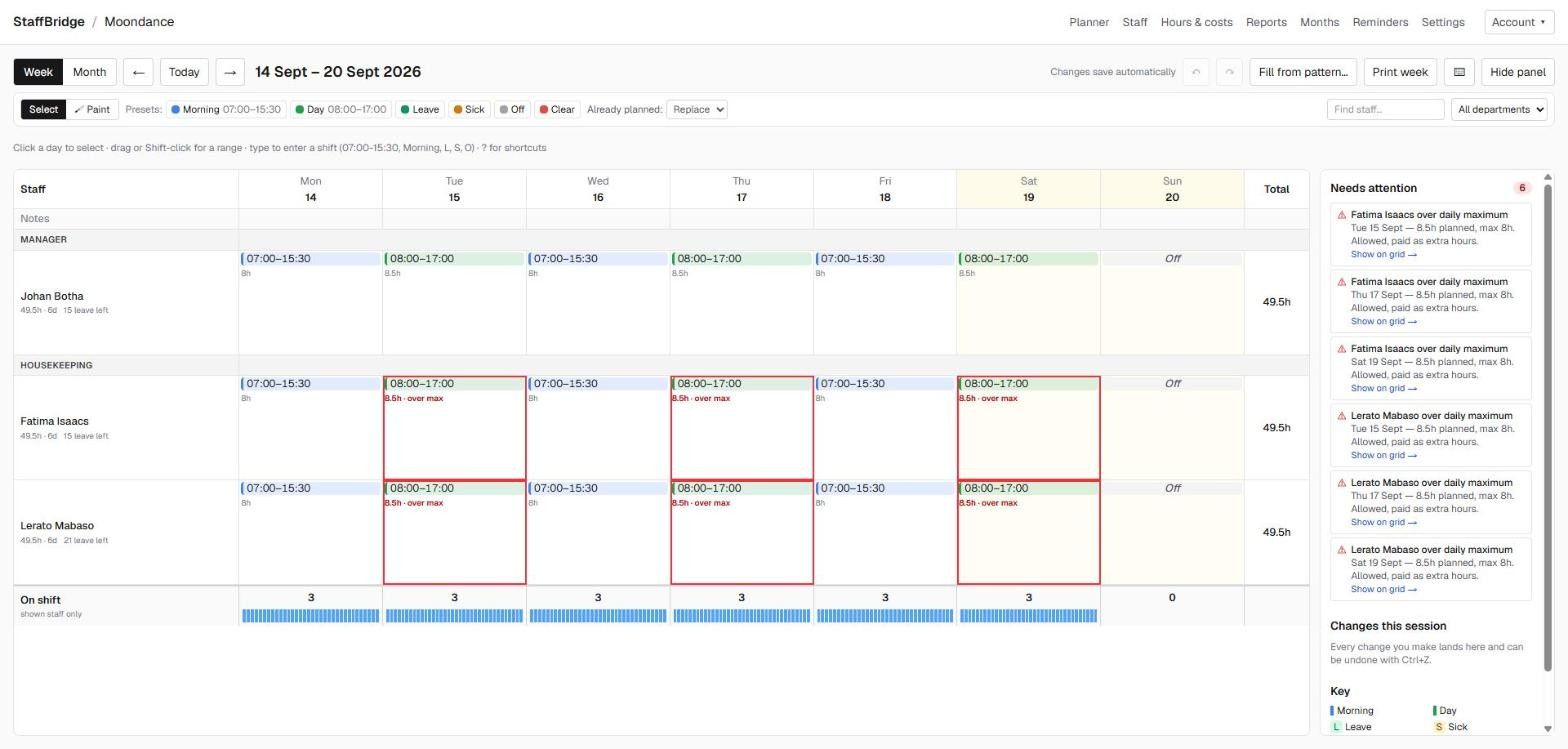
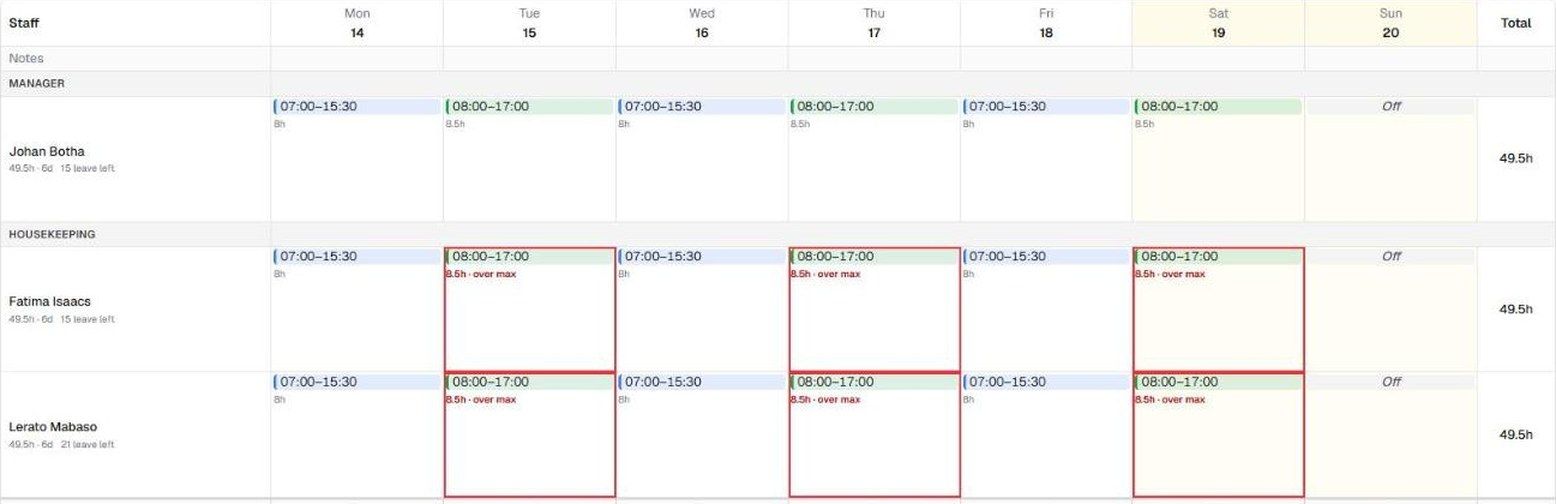
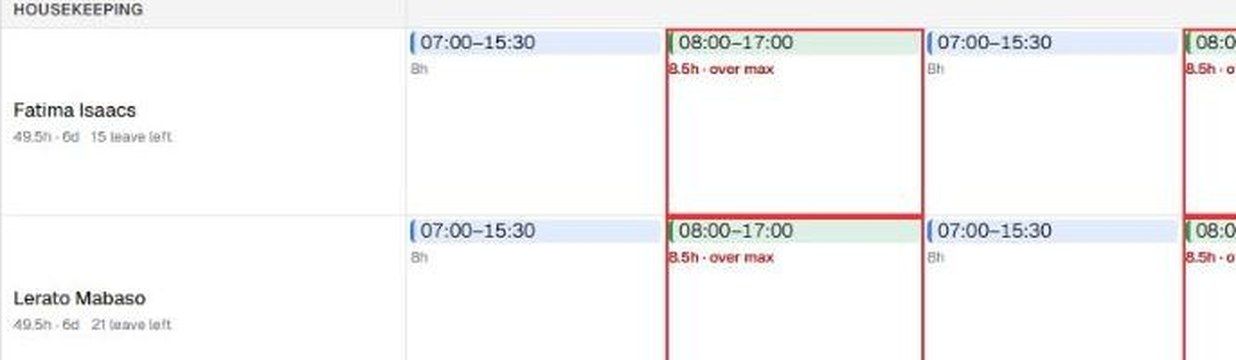
Staff by department, days across, shifts as colour. Click a template to assign it, copy a week forward, and see weekends and public holidays at a glance. Anything past a person’s daily maximum is flagged.
02 · Costs
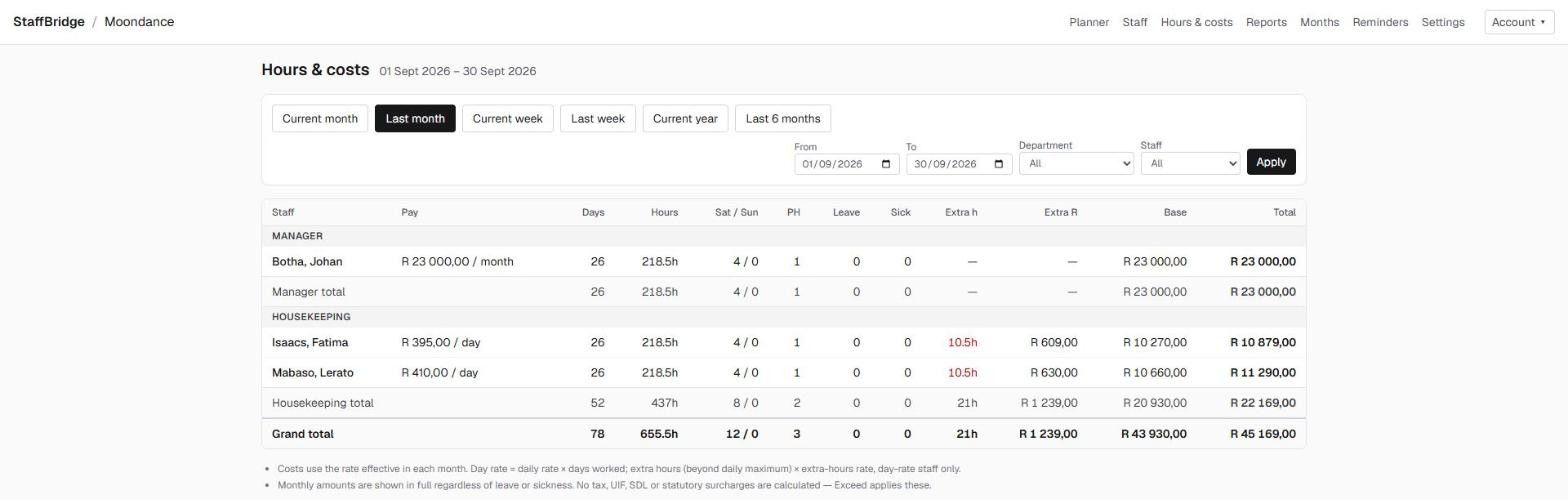
Hours, leave, sick days and cost for every person, department and period. Day-rate staff get extra hours at their own rate. Monthly staff are shown in full.
03 · Rules
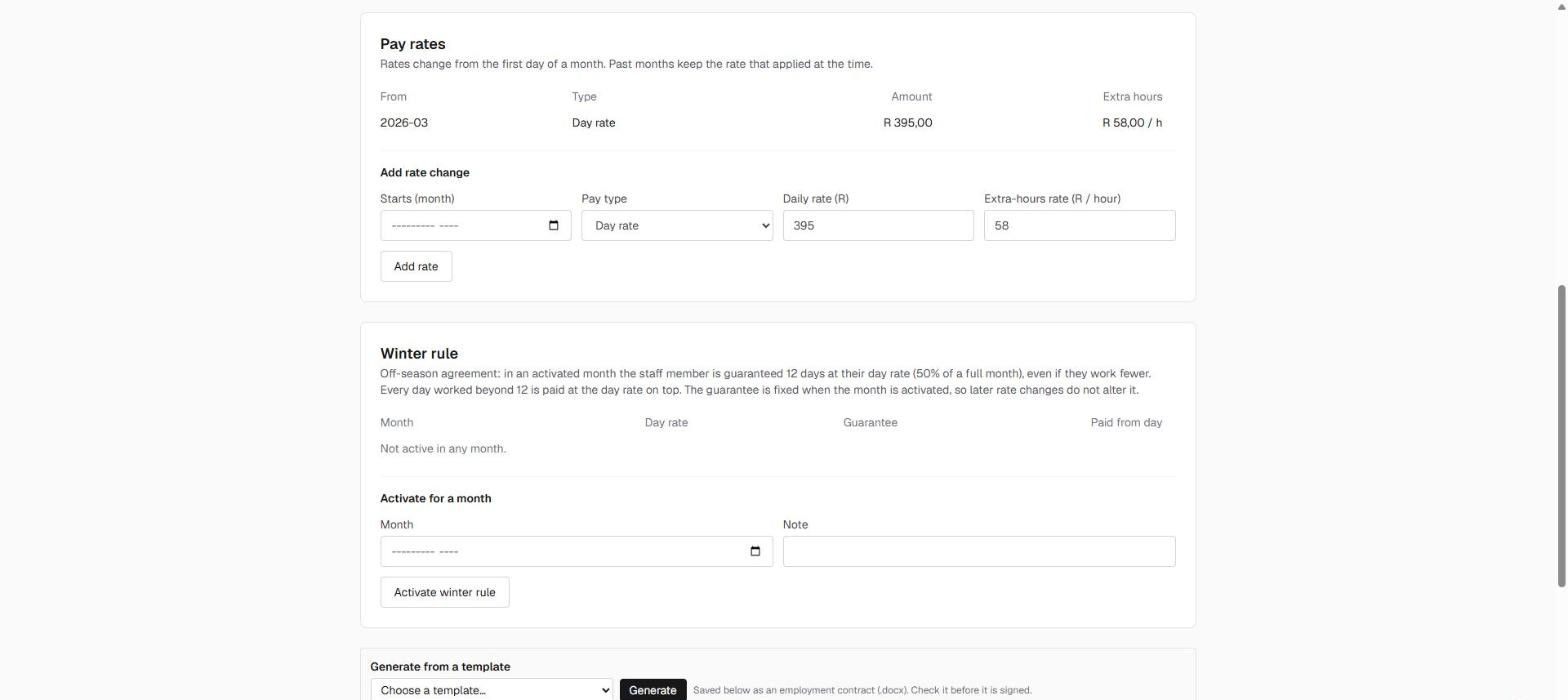
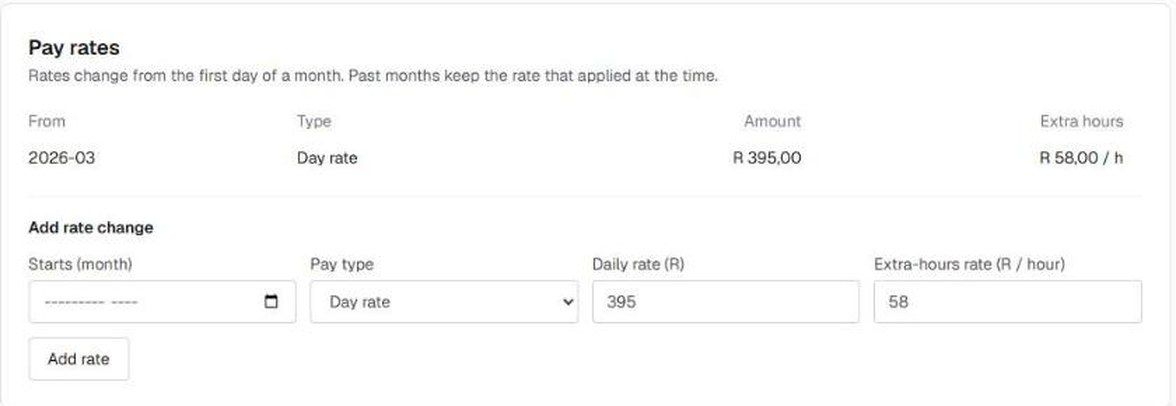
A rate change starts on the first of a month, so earlier months never change. Seasonal guarantees are fixed when you activate them. Contracts are generated from your own Word templates.
04 · Hand over
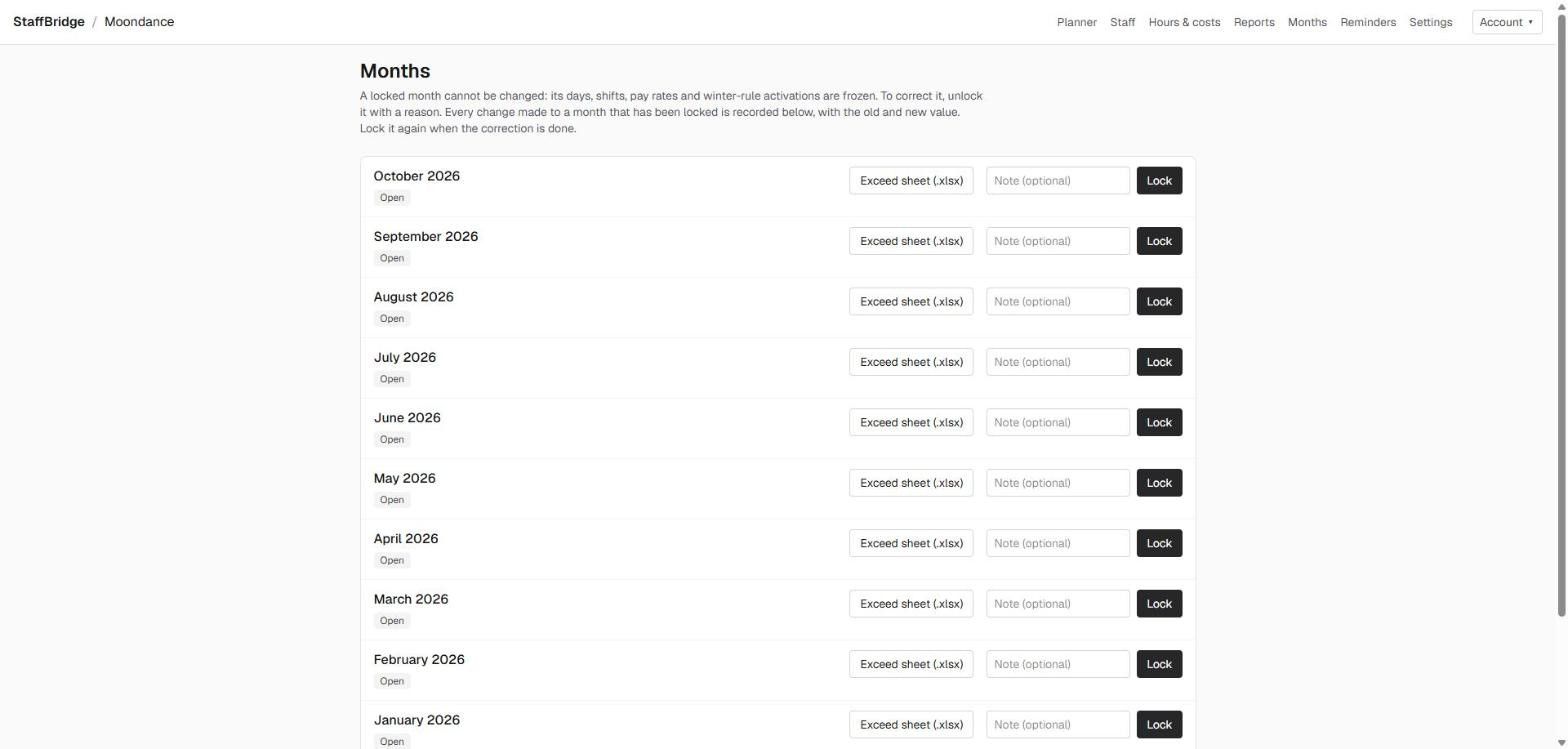
Export an Excel sheet for payroll any time. When a month is final, lock it. Changing it later takes a reason, and every change is recorded.
record per person per day — overwrite it when reality differs
shift steps, with breaks recorded to the minute
a full week prints on a single A4 page
kept after a staff member leaves, then deleted
Made for properties
Departments, shifts, breaks and leave — the way your team already thinks about them.
Privacy
Each property has its own staff, planning and export. People only see the properties they are given, enforced in the database itself rather than just hidden in the screen.
Shifts
Two shifts on one day, with the gap between them treated as time off the property — not as a break.
Leave
Annual leave is counted from the days recorded, so the balance cannot drift, and it is visible while you plan. Leave years can end on 31 December or 28 February.
Rules
Shift templates, break types and durations, departments in your order, and a seasonal guarantee for day-rate staff in the quiet months.

Calendar
A guest wedding, a delivery, a deep clean — a note on the day, independent of any one person.
Documents
Employment contracts and letters generated from the Word templates you already use.
Setup
Your departments, shifts and rules, the way your team already works.
Create shift templates, then assign one to a day with a click. Overwrite any day by hand, whenever reality differs.
Shift steps15 minutes
Security is enforced in the database, not only in the interface.
No. It records staff, rotas, hours and costs, and prepares the data for payroll. It does not process payroll, tax or statutory deductions.
Yes. Each property has its own staff, planning and exports, and each user sees only the properties they are given. In this version a staff member belongs to one property.
No. It plans and records working time; it is not a clock-in system and has no attendance hardware.
Yes. Your Word templates are prepared once with placeholders, and agreements are then generated from each staff profile.
It is designed for a desktop first and works on tablet and phone as well.
Not as an automatic import. StaffBridge starts with a fresh set of records.
Tell us about your properties and we will walk you through StaffBridge with a rota like yours. We reply within one working day.