
Insight
See how your business actually runs.
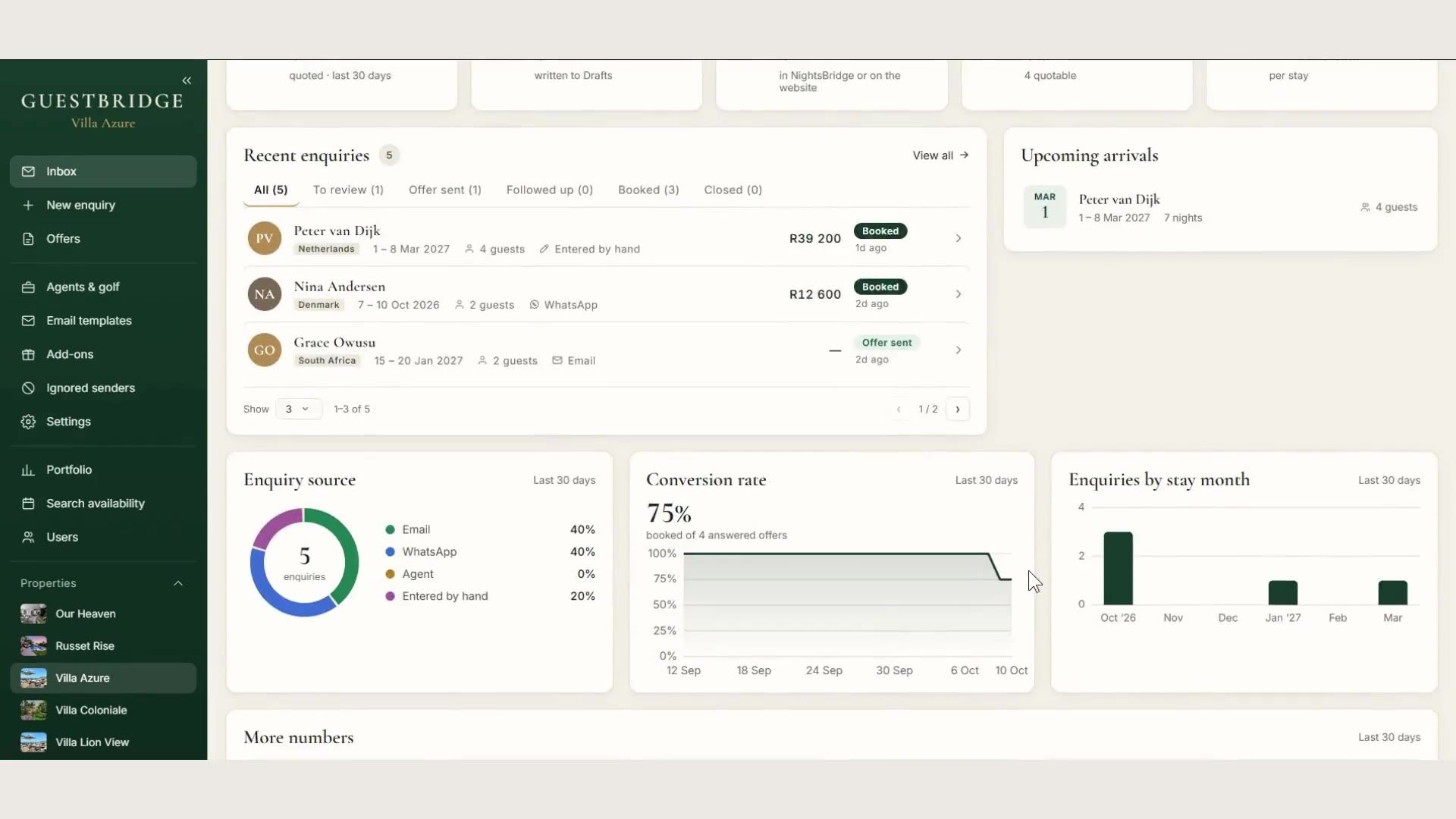
Enquiries, offers sent, conversion, where guests find you and which months they want. Response time is the one to watch: how long from enquiry to draft.
GuestBridge
GuestBridge reads your villa’s inbox, checks live NightsBridge availability and leaves a finished quote in your Drafts. You read it. You press send.
01 · Enquiry
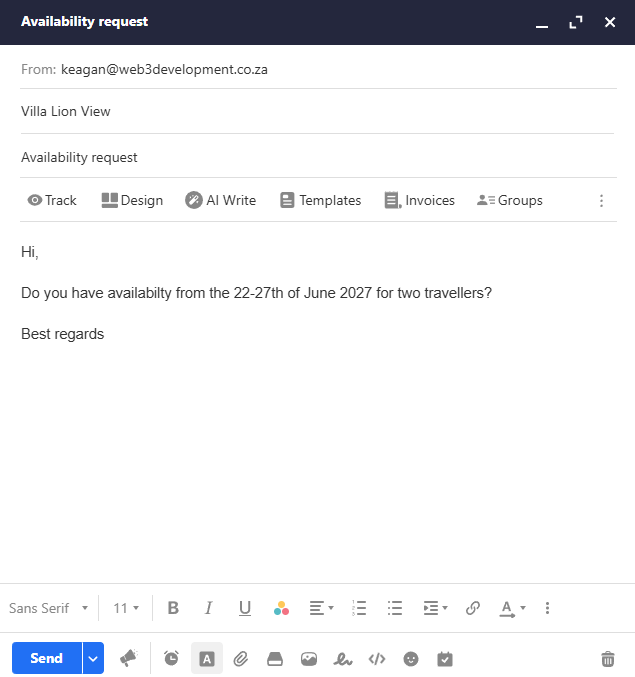
An ordinary availability request lands in your villa’s inbox. Dates, guests, children’s ages and language are read for you. A missing date is asked for, never guessed.
02 · Offer
Live NightsBridge rooms and rates for those exact dates, your direct-booking discount applied, in the guest’s language and your signature. You read it and press send. Nothing goes out before that.
03 · Booking
They choose a room and give their details. GuestBridge writes the reservation into NightsBridge at the accepted price and reads the total back to confirm it.
04 · Proforma
The confirmation, the proforma invoice and the deposit link wait in your Drafts, again for you to send. The booking is already in NightsBridge.
from an enquiry landing to a draft waiting
guest emails sent without a person pressing send
reservation per enquiry, however many times a guest clicks
availability checked — when the page opens and just before booking
Dashboard
Your numbers, your offers and your bookings, on one screen.
Insight
Enquiries, offers sent, conversion, where guests find you and which months they want. Response time is the one to watch: how long from enquiry to draft.
Bookings
Pick the dates, the room and the guest. The reservation is written into NightsBridge and the proforma waits in your mailbox, ready to send.
Offers
Every offer you have sent is listed with its dates, state and total. When a guest says yes, fast-track it into a booking from the list.
Pricing
Offer a better discount on an offer you have not sent yet. The rooms and the total update at once, and the reason is kept for your records.
Language
Choose the language an offer is sent in. Each property keeps its own wording for both, and room names, prices and dates pass through exactly as they are.
Control
Whatever you set takes effect on the next enquiry.
Set your direct-booking discount for each property. It is applied on top of the NightsBridge rate, and the guest sees it.
Applies toEach property
GuestBridge does the work around the decision, not the decision itself. These rules are most of the engineering.
A property that takes bookings on NightsBridge, and a Microsoft 365 mailbox that receives its enquiries. GuestBridge is built around NightsBridge availability and rates.
No. Every guest-facing email is a draft in your mailbox, and a person presses send.
NightsBridge publishes availability but no way to create a booking, so GuestBridge signs in as its own dedicated user and completes the booking form exactly as a person would, on a fresh, isolated machine each time.
The guest is never told they have booked when they have not. They are told a person is dealing with it, and your team is alerted at the same moment.
English and German today, chosen from the language of the enquiry.
It was proven end to end at Villa Coloniale against live mailboxes, live availability and real reservations. Request a demo and we will show you it working on a property like yours.
Tell us about your property and we will show you GuestBridge working on a real enquiry. We reply within one working day.